
Partner Registration
Create your Wicofly Partner account to start earning commissions and offering your services.
1
Step 1
Open the Registration Page
Visit the Partner Registration page:
Information
https://partner.wicofly.com/register
Fill in all the required information to submit your partnership request.
2
Step 2
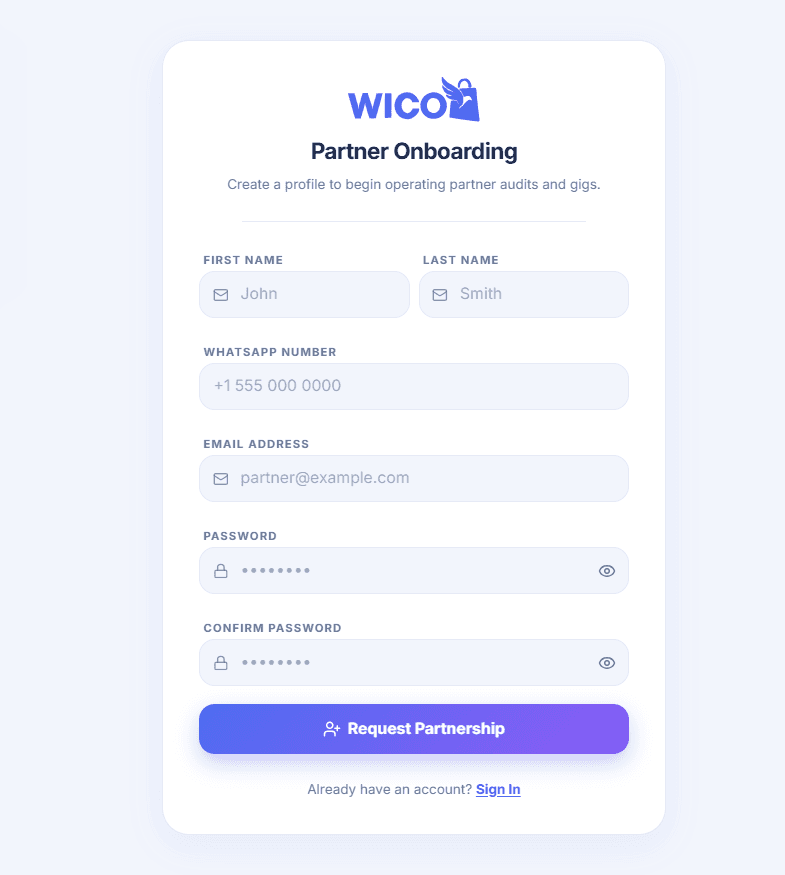
Complete the Registration Form
Enter the following information:
- First Name
- Last Name
- WhatsApp Number
- Email Address
- Password
- Confirm Password
After filling out the form, click Request Partnership.
3
Step 3
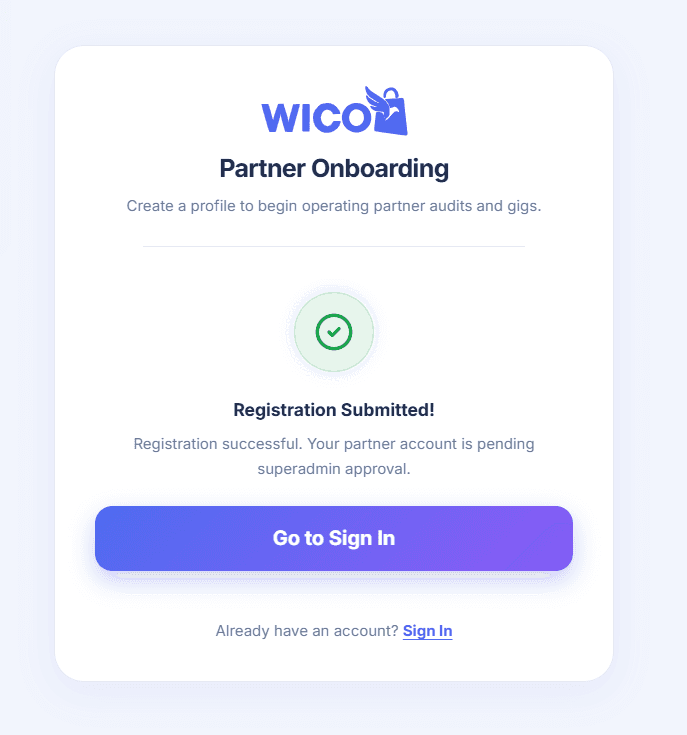
Wait for Admin Approval
After submitting your registration, you will see a confirmation message that your request has been submitted successfully.
Warning
Your Partner account must be approved by the Wicofly Admin before you can sign in.
Once your account is approved, you can log in to the Partner Portal and start using all partner features, including referrals, commissions, gigs, and payouts.