
Commission & Payouts
Track your referral earnings, understand commission rates, and request payouts from your available balance.
Information
Your earnings are generated automatically when referred vendors subscribe to a paid plan.
1
Step 1
How Commission Works
Open the Commission Earnings page from your Partner Dashboard.
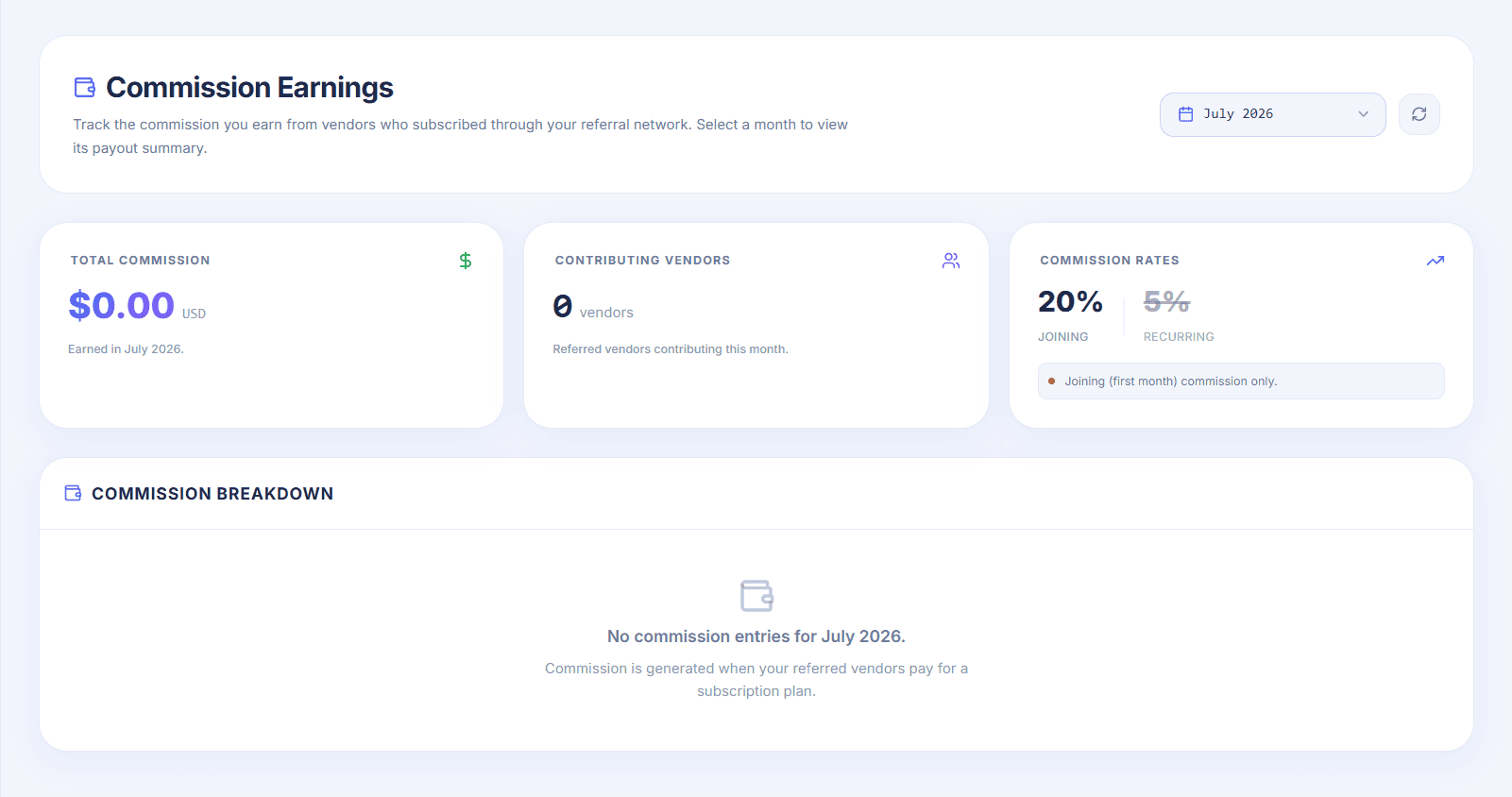
A commission is generated only after a referred vendor completes all required steps.
Registers using your referral link.
Gets the account approved and verified.
Completes the store setup.
Subscribes to a paid plan.
Success
After a vendor purchases a subscription, the commission is automatically added to your earnings.
2
Step 2
Commission Rates
The dashboard displays the commission rates that apply to your partner account.
Joining Commission: You earn 20% of the vendor's first paid subscription.
Recurring Commission: You earn 5% whenever the vendor renews their subscription.
Tip
Recurring commission is optional. It is enabled or disabled by the administrator for your partner account. If it is disabled, recurring earnings will not be available.
3
Step 3
Request a Payout
When you have available earnings, click the Request Payout button from the top-right corner of the dashboard.
The page will automatically scroll to the payout request section, where you can submit your withdrawal request.
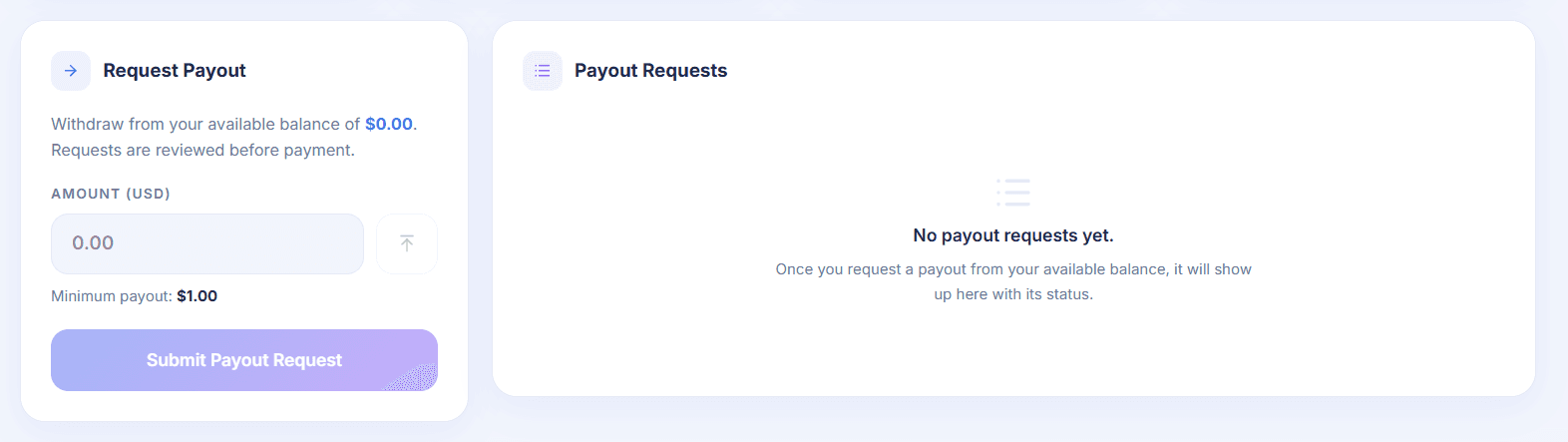
Enter the payout amount.
The amount must meet the minimum payout requirement.
Click Submit Payout Request.
Wait for the administrator to review and approve your request.
Warning
Payout requests are not processed instantly. Every request is reviewed by the administrator before payment is sent.
Success
Once your payout request is approved, the payment will be sent using the configured payout method, and the request status will be updated in your dashboard.