
Manage Order Details
View items, verify customer details, manage payment, add tracking, and fulfill orders.
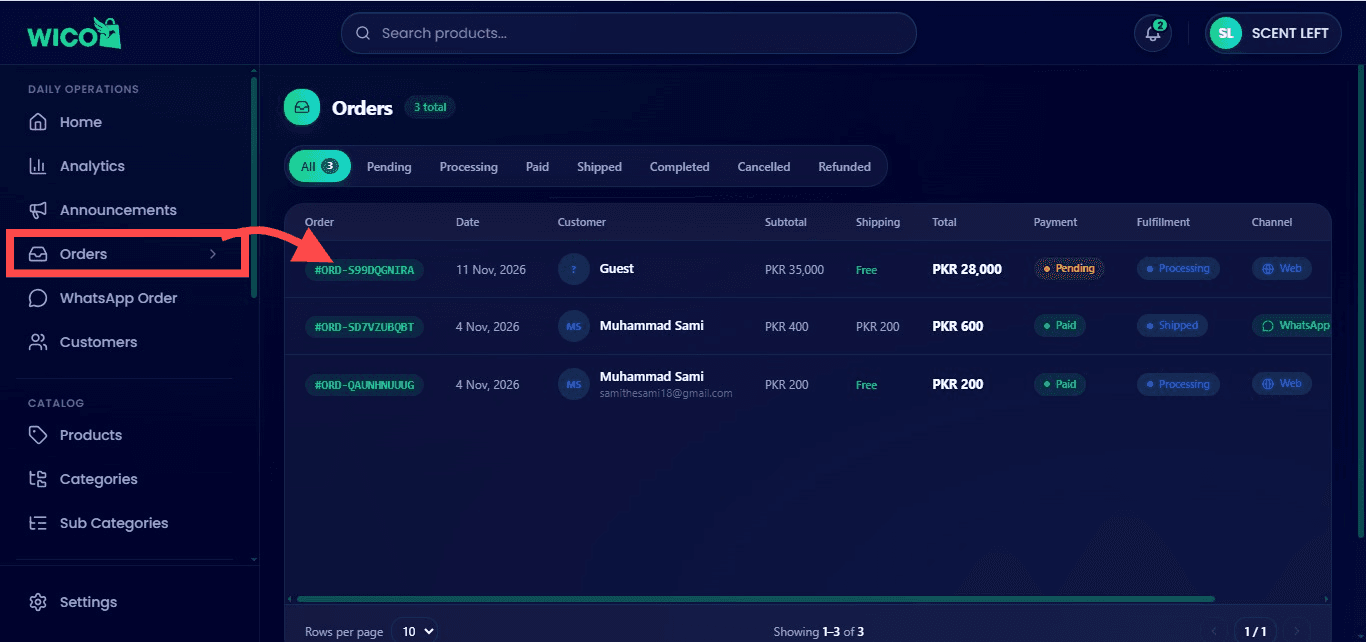
Open an order from the Orders list.
Click the eye icon on any order row. The Order Details page opens showing the Order ID, payment status badge, fulfillment status badge, and channel (Web/WhatsApp) at the top.
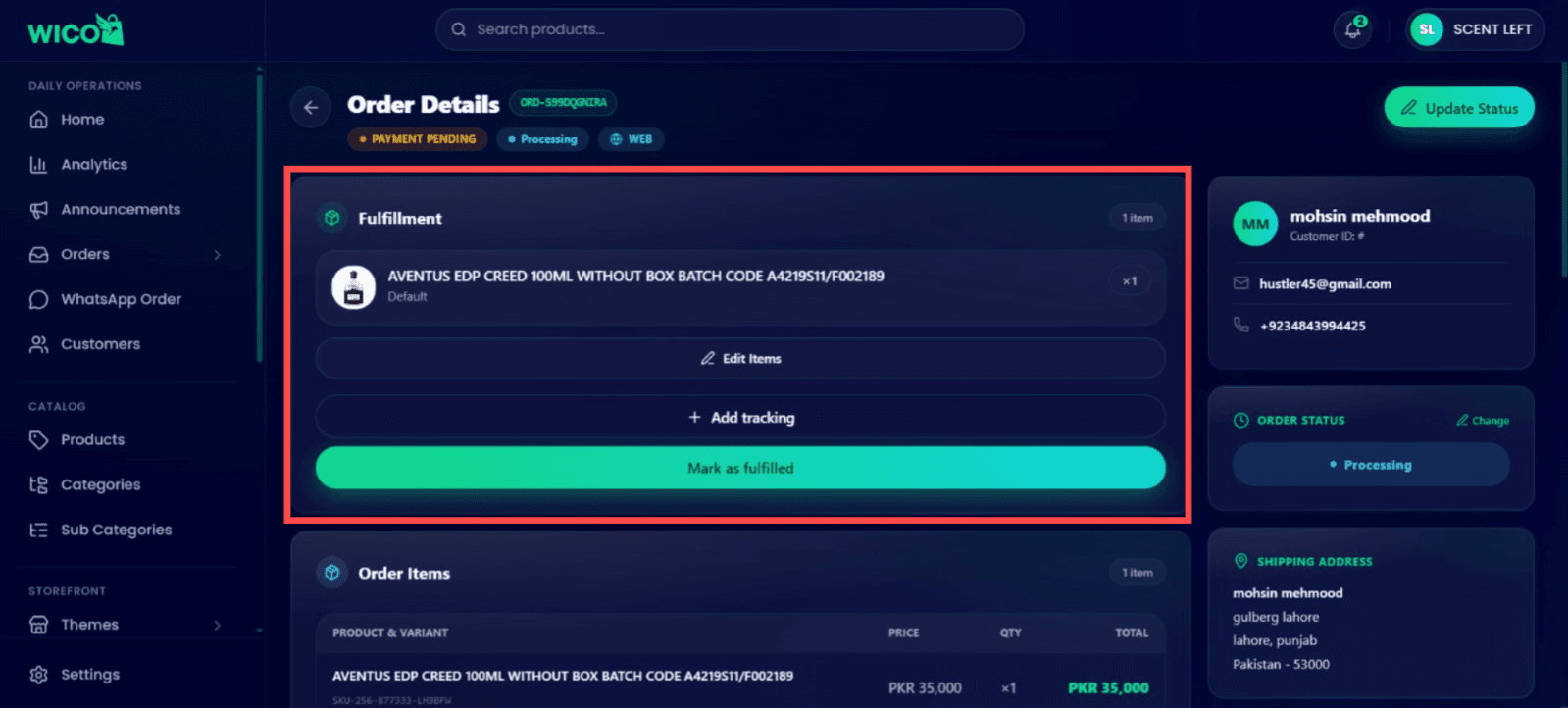
Review the Fulfillment section.
Shows ordered items with product name, variant, and quantity. You can click "Edit Items" to modify, "+ Add tracking" to enter a courier tracking number, or "Mark as fulfilled" to confirm the order has been shipped.
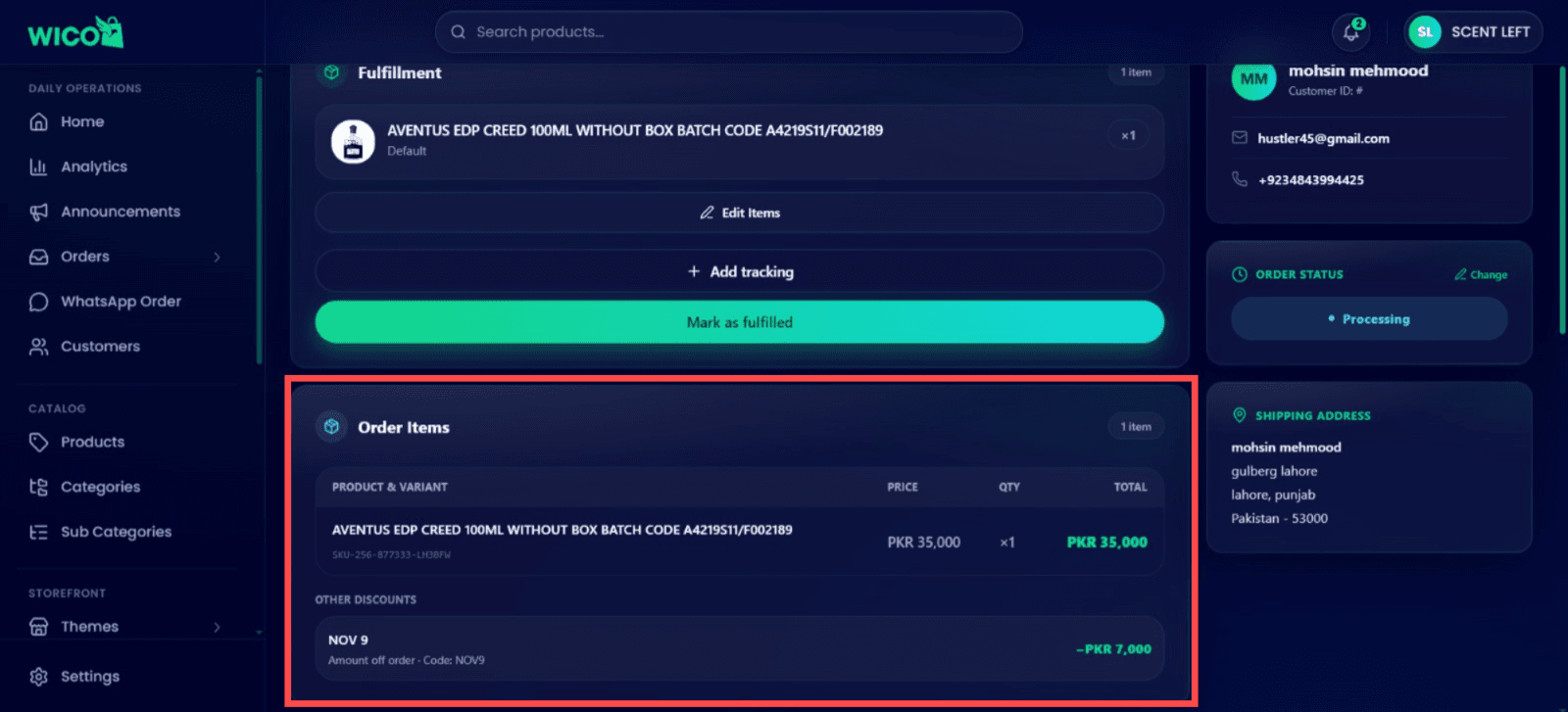
Check Order Items and discounts.
The Order Items table shows Product & Variant, Price, Qty, and Total for each line item. Below it, any applied discount codes are listed (e.g. "NOV 9 — Amount off order · Code: NOV9 → −PKR 7,000").
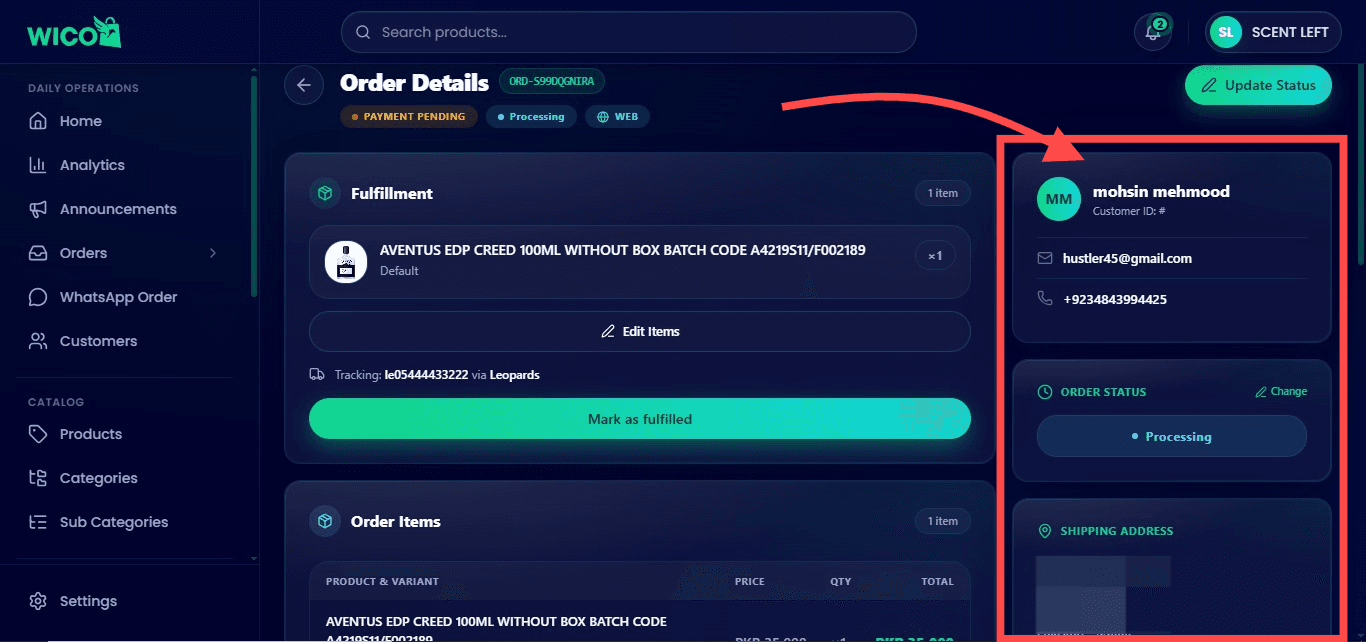
Verify customer details and shipping address.
The right sidebar shows the customer name, email, phone number, and full shipping address (name, area, city, country, postal code). For COD orders, call or WhatsApp the customer to confirm before dispatch.
Review Payment Info and Cost Summary.
Payment Info shows the method (COD, Bank Transfer, etc.), Transaction ID, and payment status. Cost Summary breaks down Subtotal, Shipping, Tax, Discount, Total, Paid amount, and Balance. If payment is pending, click "Mark as paid" once you receive the payment.
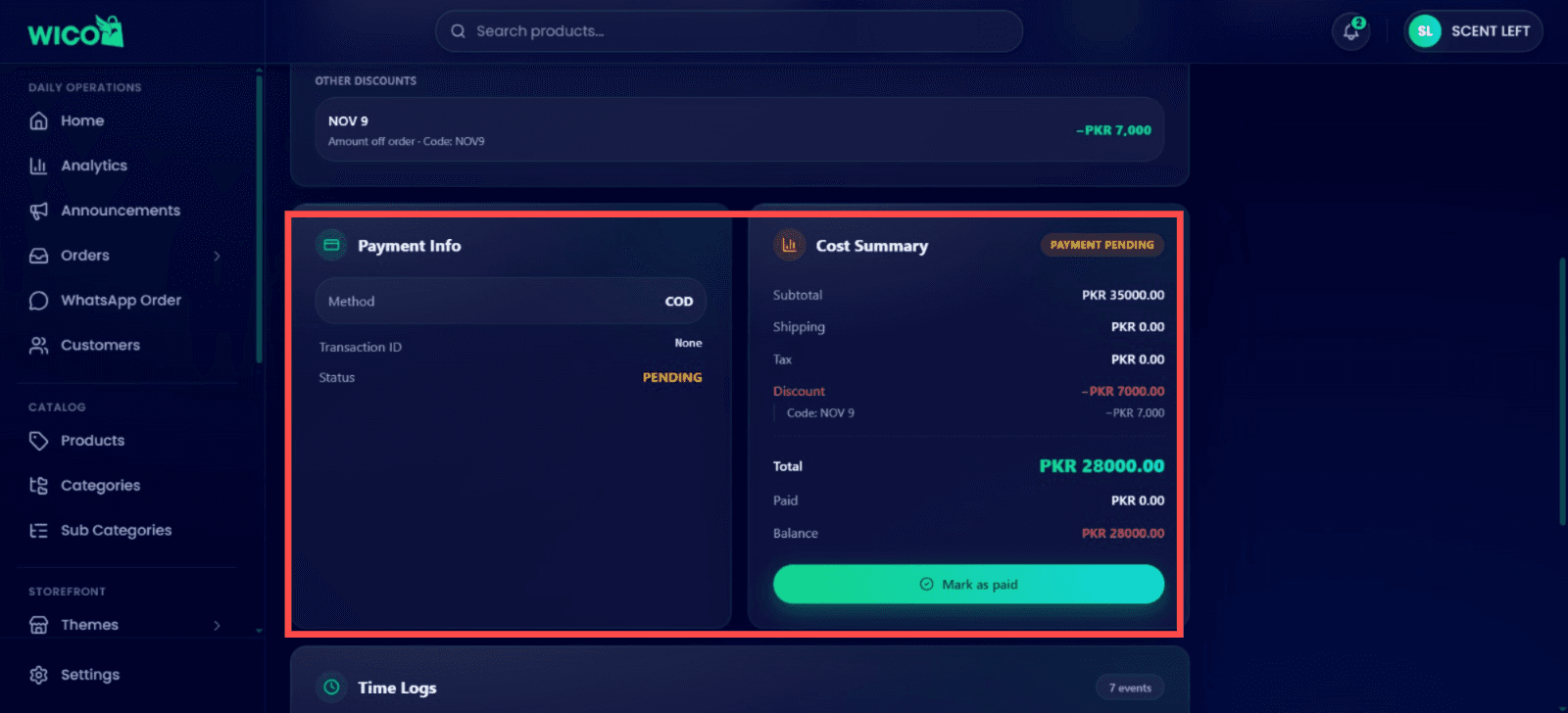
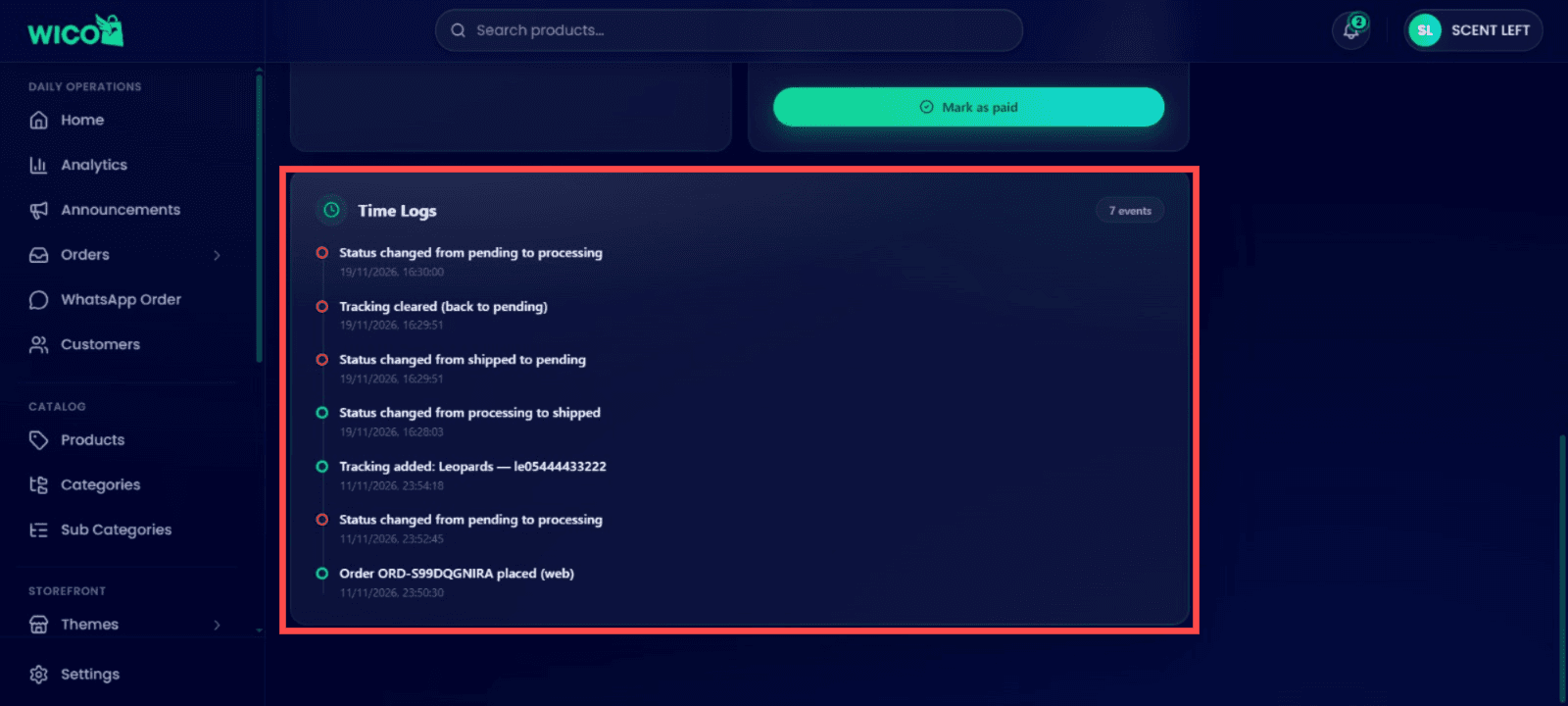
Check Time Logs at the bottom.
A complete timeline of every action on this order — when it was placed, status changes (pending → processing → shipped), tracking numbers added/cleared, and timestamps for each event. Useful for auditing and troubleshooting.
That's it!
Your manage order details task has been configured successfully. Your Wicofly store is updated.
Related Helps
View Orders
Browse all incoming orders, filter by status, and view order details.
Update Order Status
Change order status, add shipping tracking, and mark orders as fulfilled or paid.
Track Customer Orders
Customers can track their orders in real time at tracking.wicofly.com.
Manage Customers
View customer contact details, order history, and lifetime spending.