
Add Meta Title & Description
Set SEO meta titles and descriptions for every page from the theme editor.
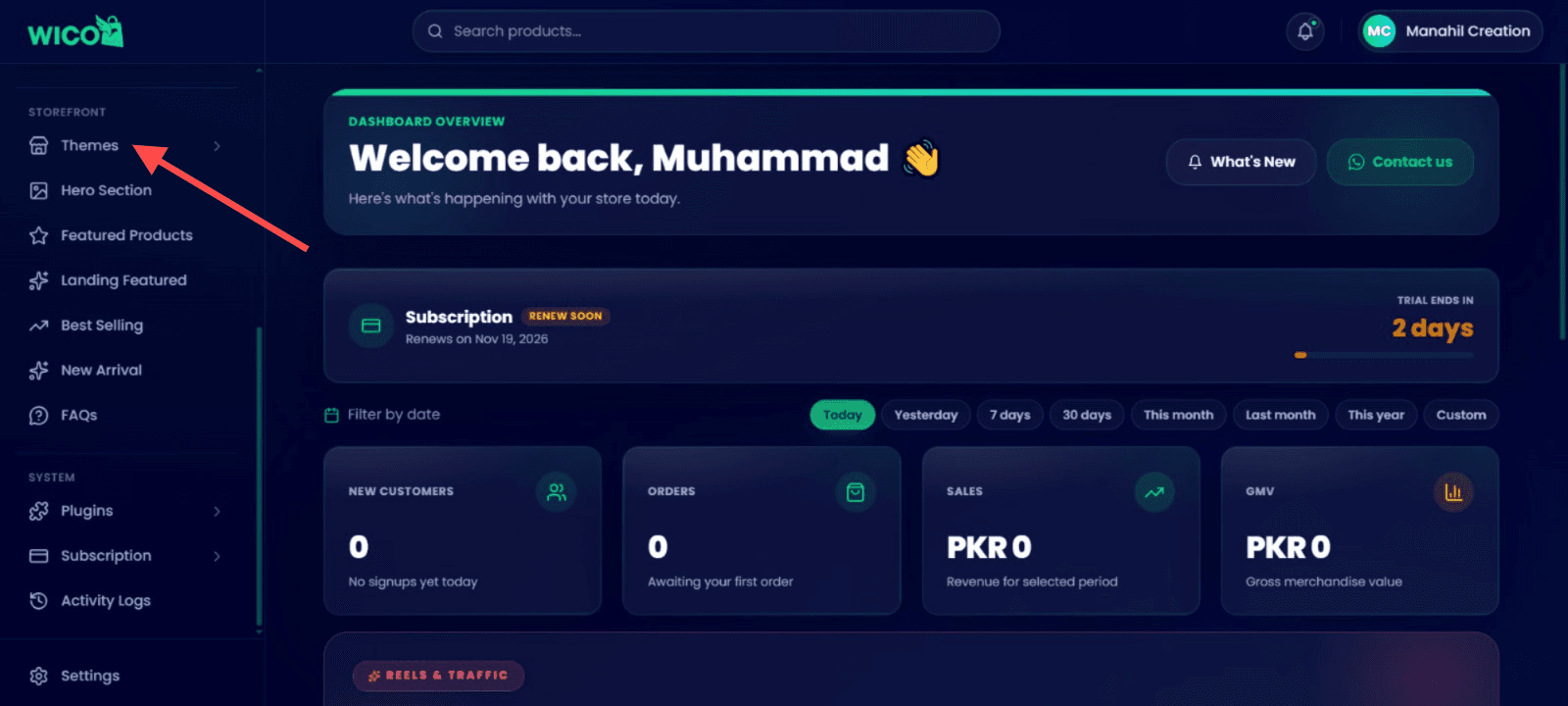
Click on "Themes" from the left sidebar under Storefront.
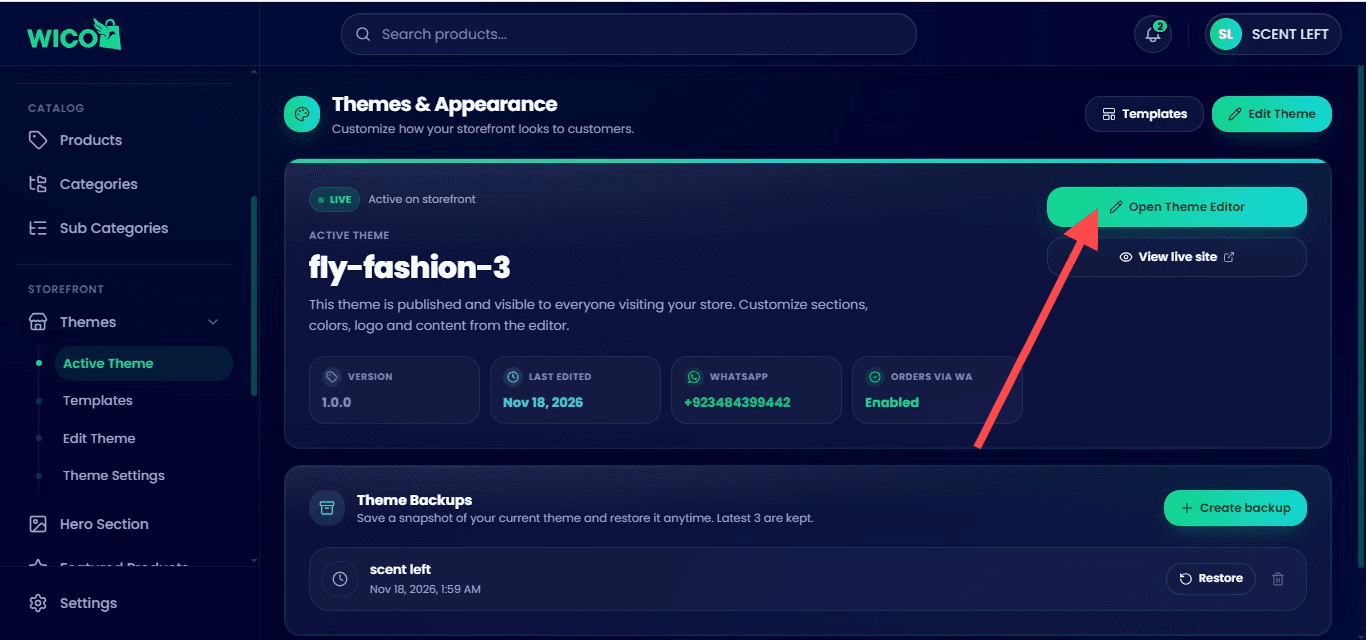
This opens the Themes & Appearance page showing your active theme.
Click "Open Theme Editor" or "Edit Theme".
This launches the full visual theme editor with a live preview of your storefront.
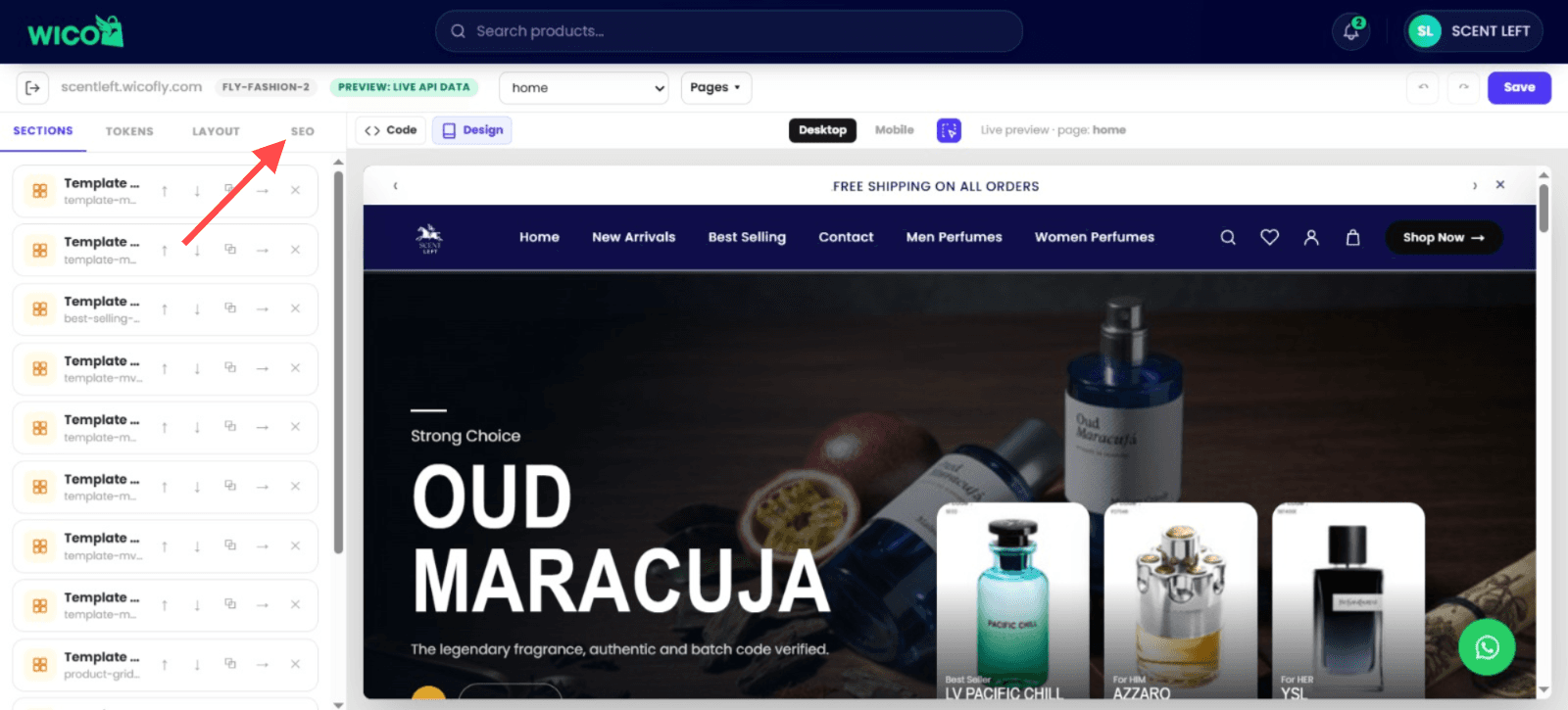
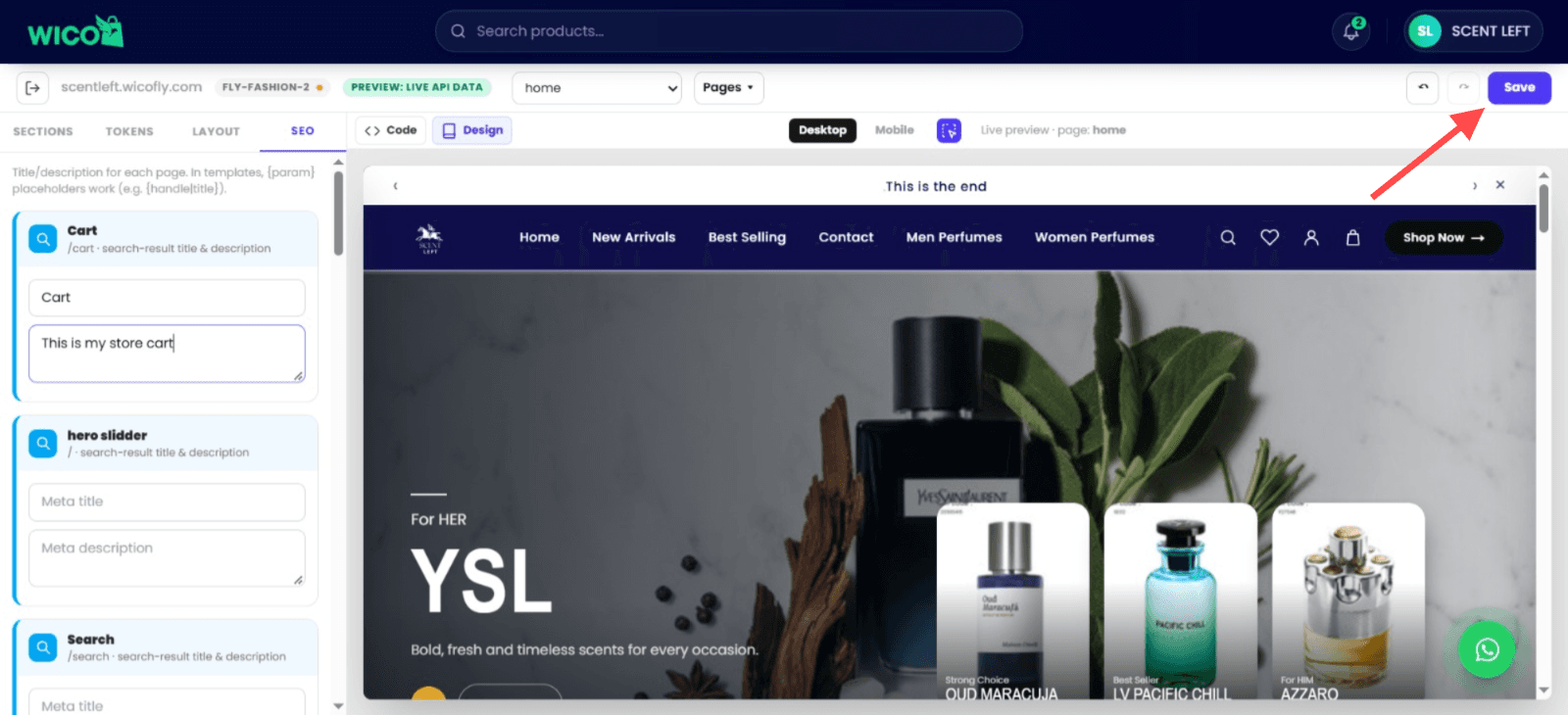
Click the "SEO" tab at the top.
You will see tabs: SECTIONS, TOKENS, LAYOUT, SEO. Click SEO to access meta title and description fields for every page — Cart, Hero Slider, Search, Product pages, etc.
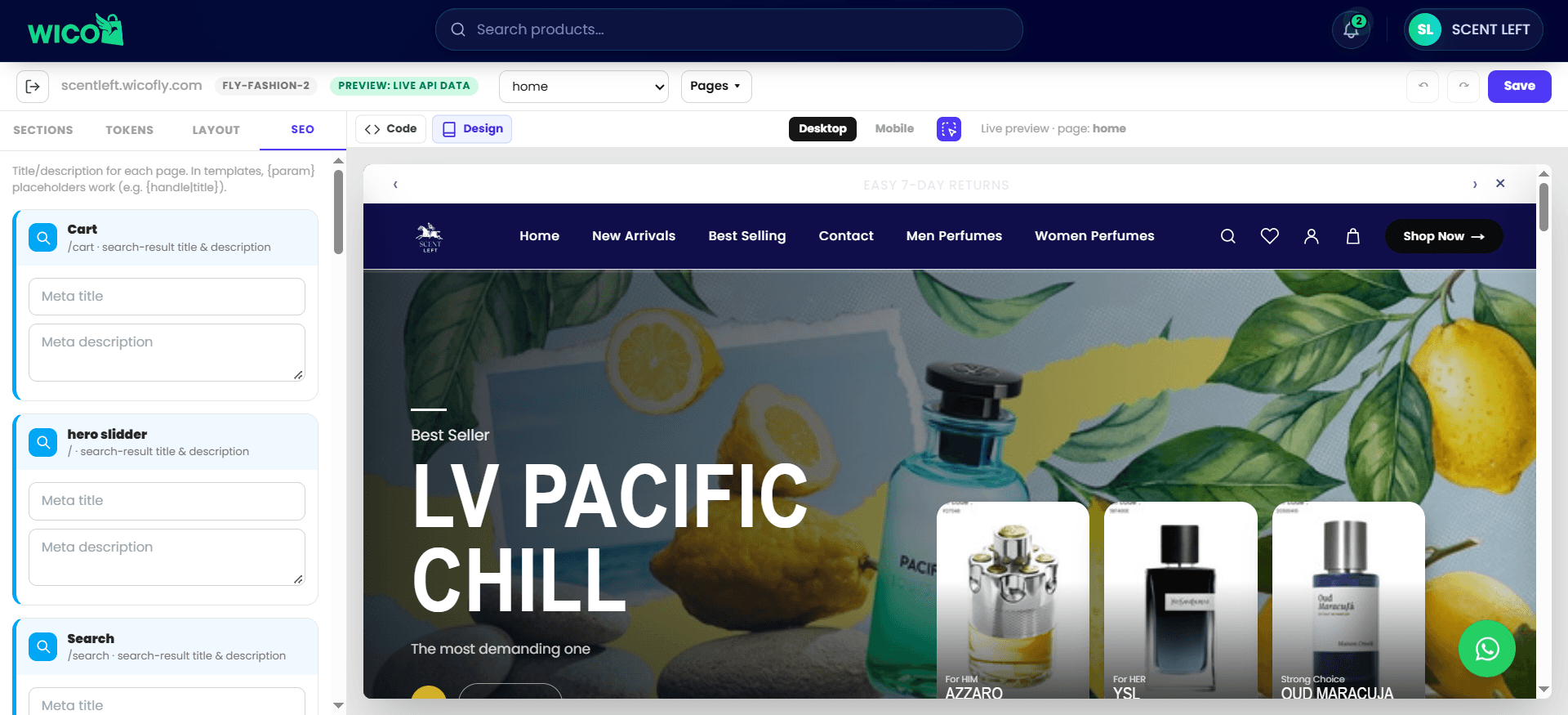
Enter Meta Title and Meta Description for each page.
Each page card has two fields — Meta Title (keep under 60 characters) and Meta Description (write a compelling 140–160 character summary). These appear in Google search results.
Click "Save" in the top right corner.
Your SEO meta tags are saved and will be indexed by Google on its next crawl.
That's it!
Your add meta title & description task has been configured successfully. Your Wicofly store is updated.
Related Helps
Select a Theme
Browse the Wicofly theme library and switch to a different storefront design.
Customize Your Store
Fine-tune brand colors, layout, button styles, and fonts from the theme editor.
Connect Your Domain
Link your custom domain (e.g., yourbrand.com) with automatic free SSL.
Create a Blog Post
Write and publish a new blog post with cover image, SEO settings, and rich content.