
Create Your Account
Create your Wicofly account to start building your online business.
Information
Creating an account takes less than 2 minutes.
1
Step 1
Open Registration Page
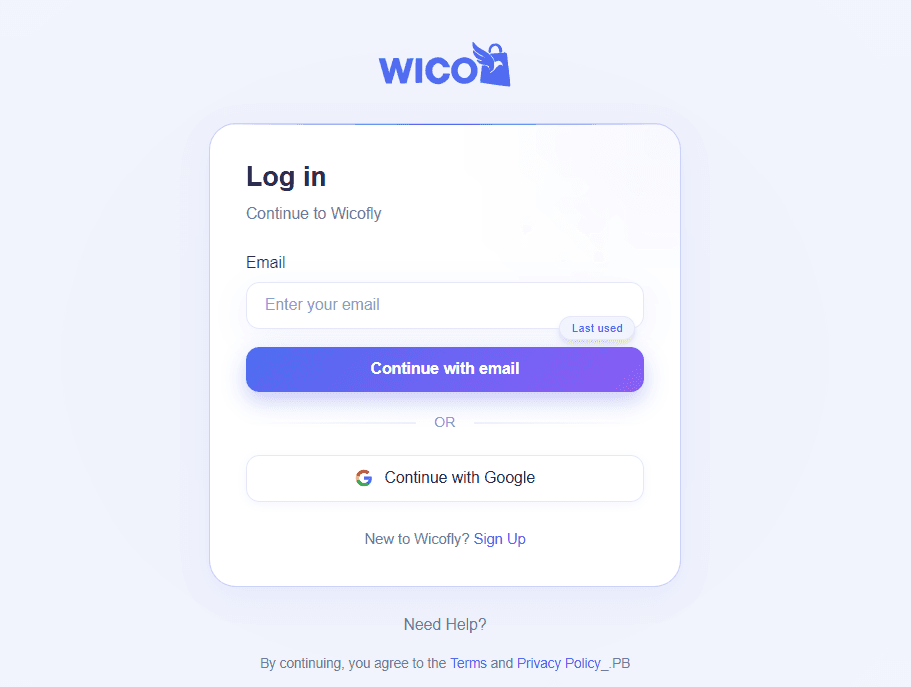
Goto accounts.wicofly.com you will see the screen like this:
Tip
If you already have an account, then enter your email and click on "Continue with email" button for login.
Warning
If you don't have an account, then click on "Sign Up" to create your account.
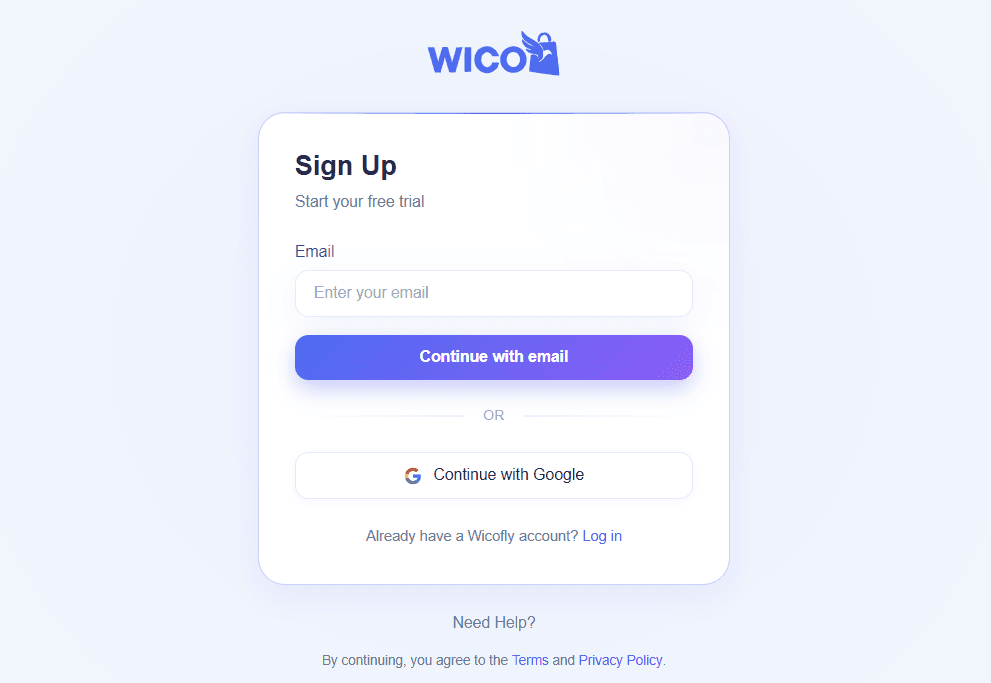
After click on sign up you will see this page. Enter your valid email address and click on "Continue with email" button Create Account button.
2
Step 2
Fill Registration Form
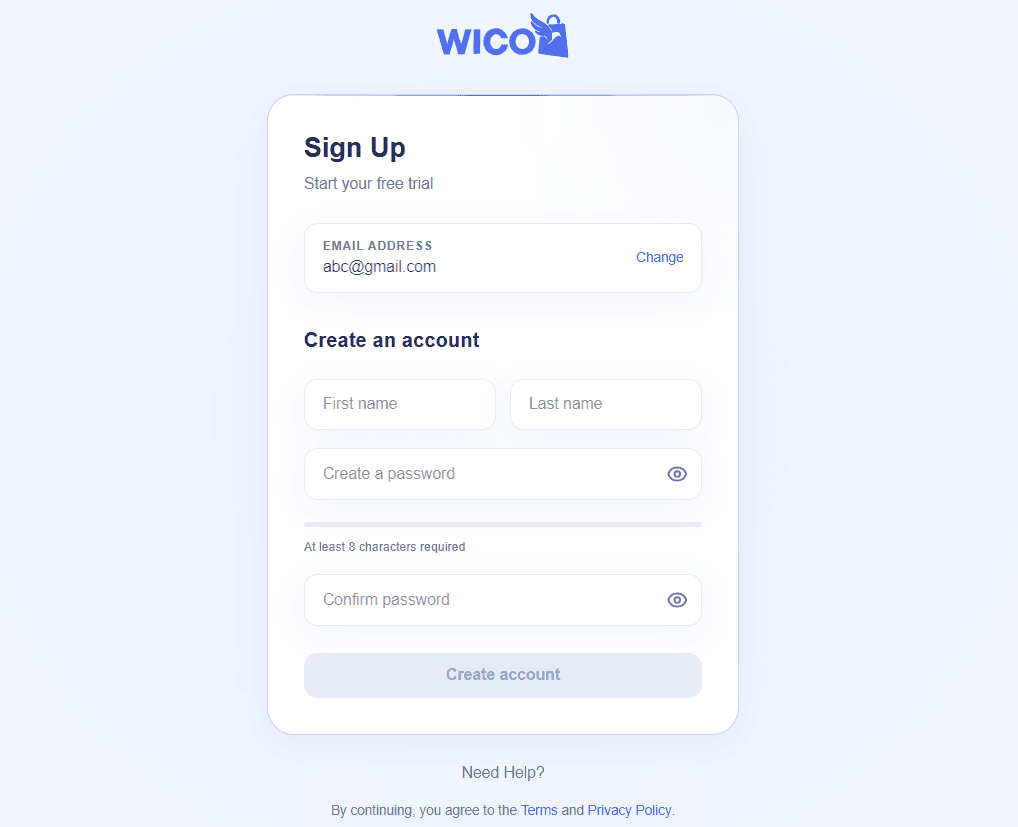
Complete all required fields.
First Name
Last Name
Email Address
Password
Confirm Password
Tip
Use your business email address.
3
Step 3
Submit Registration
Click the Create Account button.
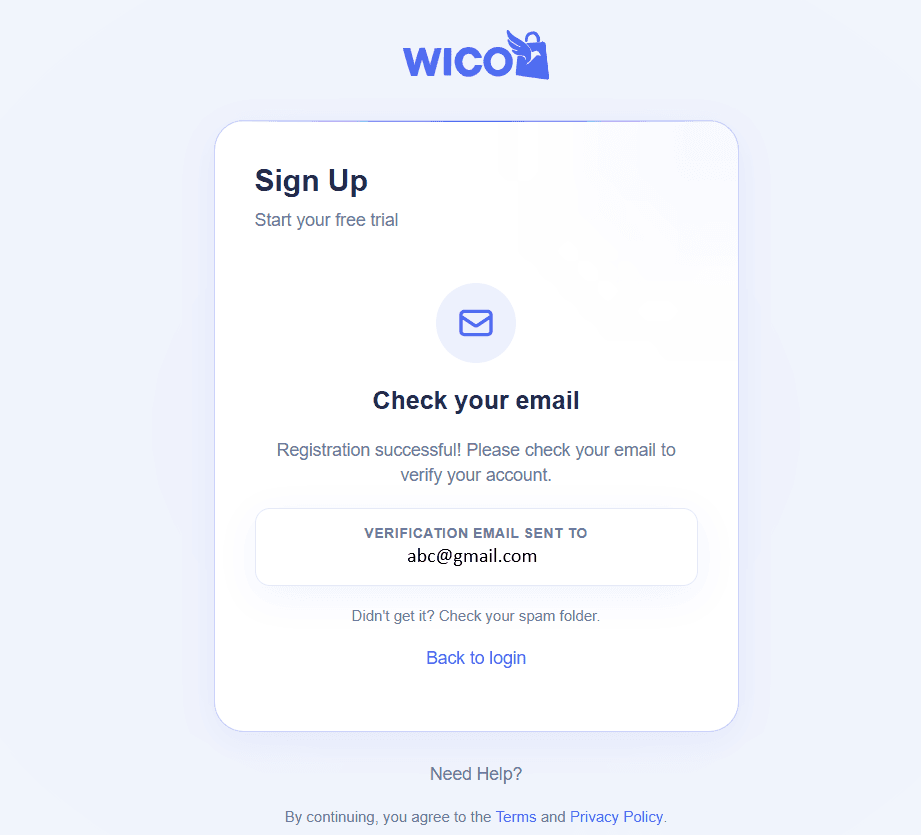
Success
Your account has been created successfully.
Warning
Don't forget to verify your email before logging in.