
Products & Categories 1 min read·4 Steps
Export Products CSV
Download your entire product catalog as a CSV file for backup or migration.
0 of 4 steps completed
1
Step 1Sidebar > Products
Click on "Products" from the left sidebar.
Open your product catalog.
accounts.wicofly.com/dashboard
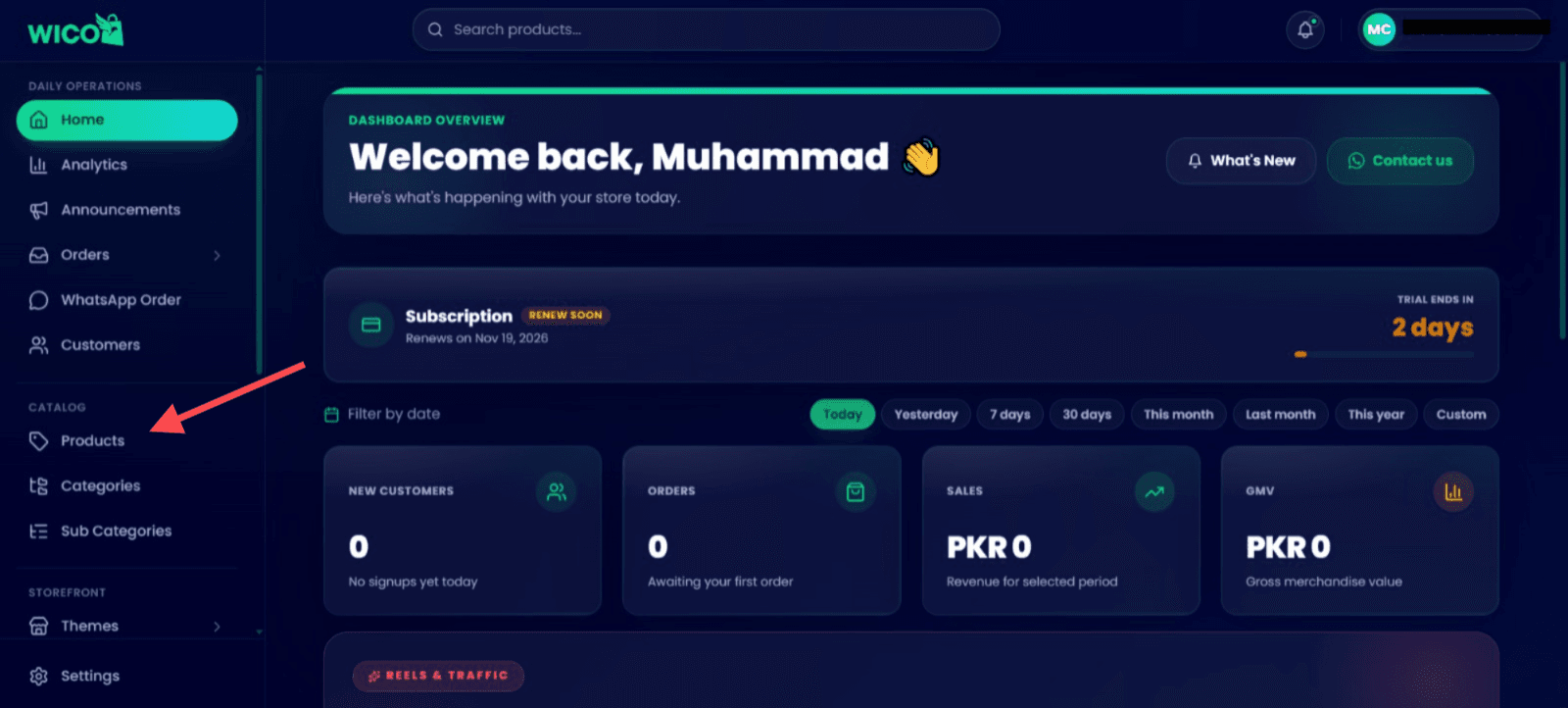
Open Products
2
Step 2Top Action > Export
Click the "Export" button in the top action bar.
An export options dialog will appear.
accounts.wicofly.com/dashboard
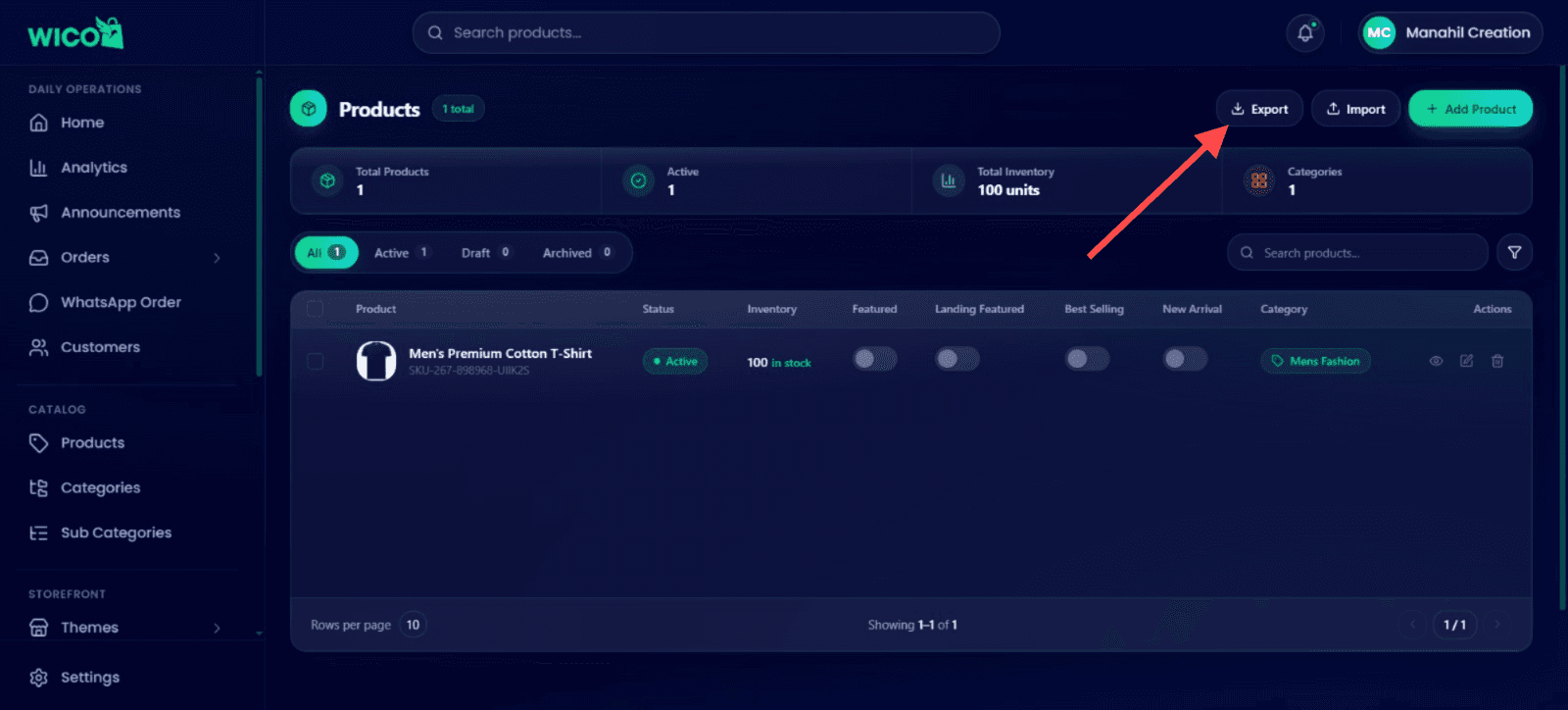
Click Export
3
Step 3Export Options
Choose which products to export (All, Selected, or Filtered).
You can export specific categories or search results only.
accounts.wicofly.com/dashboard
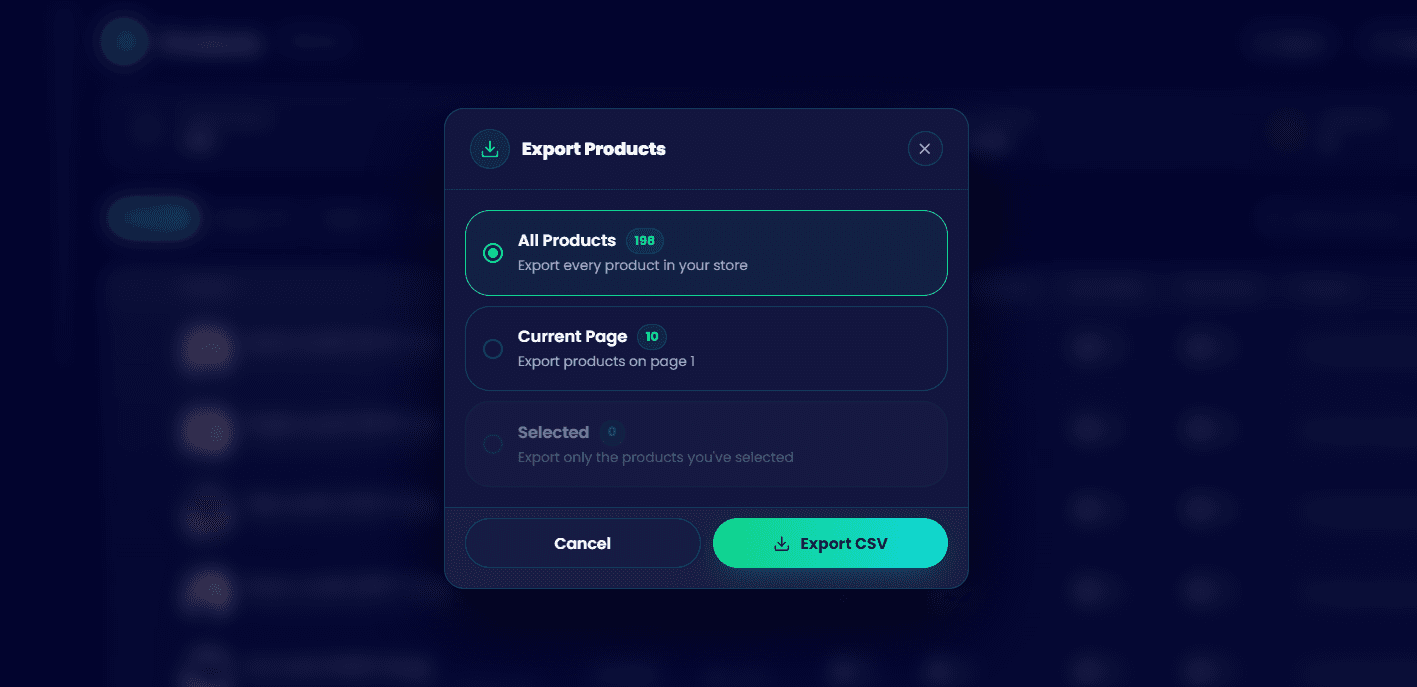
Select export scope
4
Step 4Export CSV Button
Click "Export CSV" to save the file to your computer.
The CSV includes title, price, SKU, stock, variants, and image URLs.
accounts.wicofly.com/dashboard
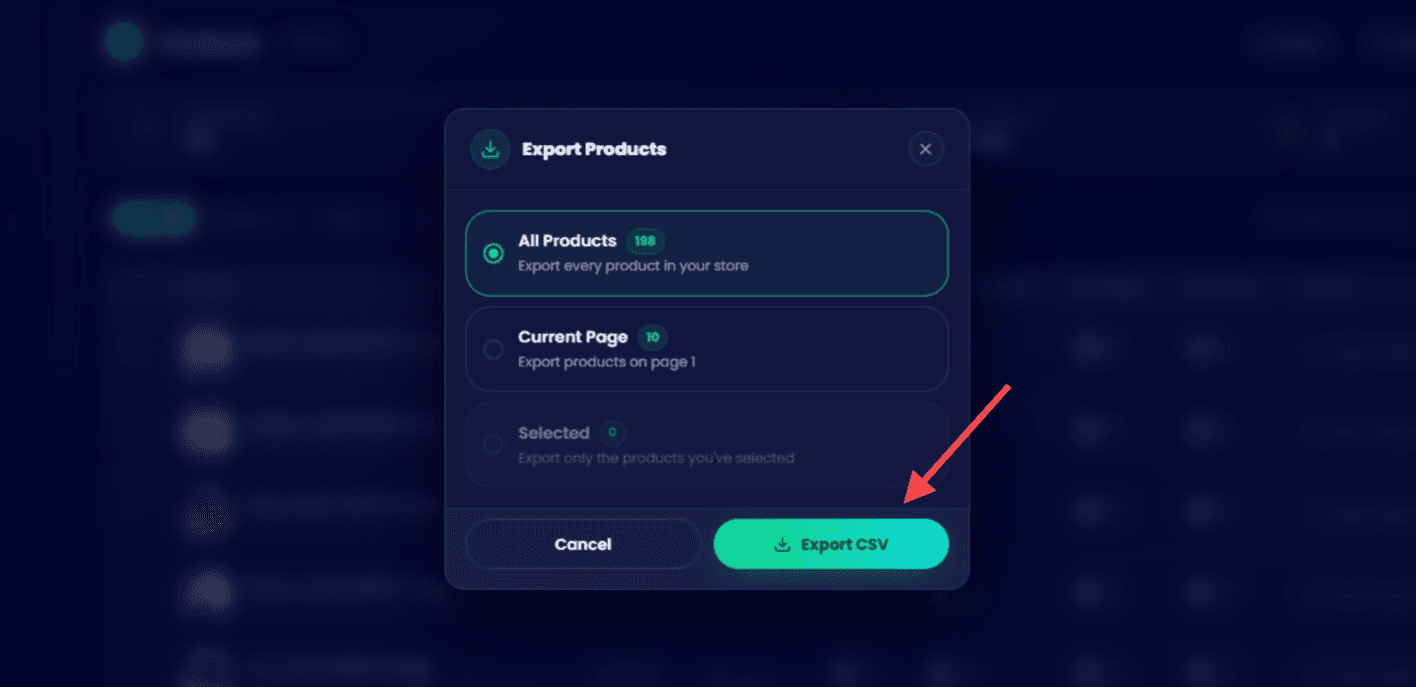
Download CSV file
That's it!
Your export products csv task has been configured successfully. Your Wicofly store is updated.