
Products & Categories 1 min read·4 Steps
Edit a Product
Update product title, adjust prices, edit descriptions, or modify stock levels.
0 of 4 steps completed
1
Step 1Sidebar > Products
Click on "Products" from the left sidebar.
Navigate to your product list.
accounts.wicofly.com/dashboard
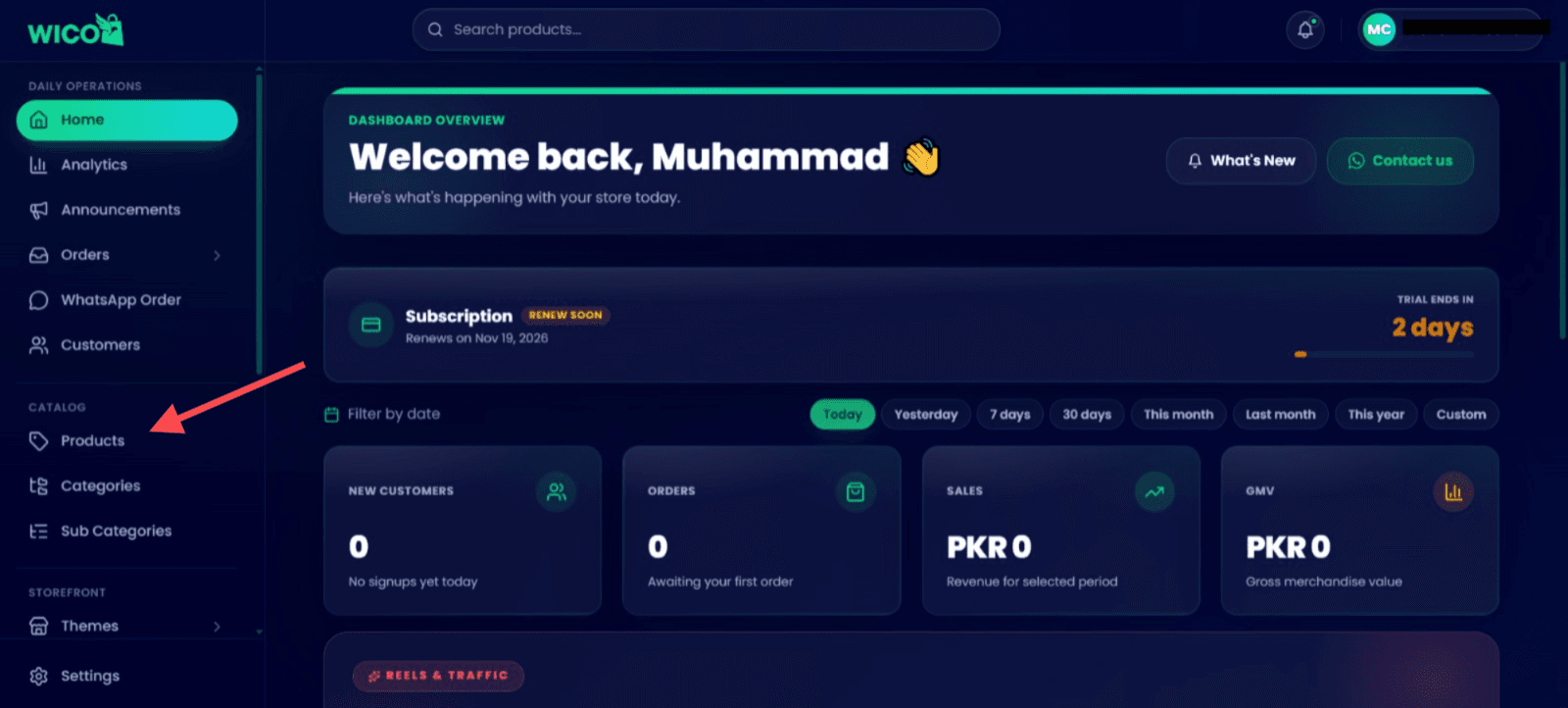
Open Products list
2
Step 2Product Row > Click Title
Find the product you want to edit and click its Title or the Edit icon.
You can also use the search bar above the table to quickly filter by product name.
accounts.wicofly.com/dashboard
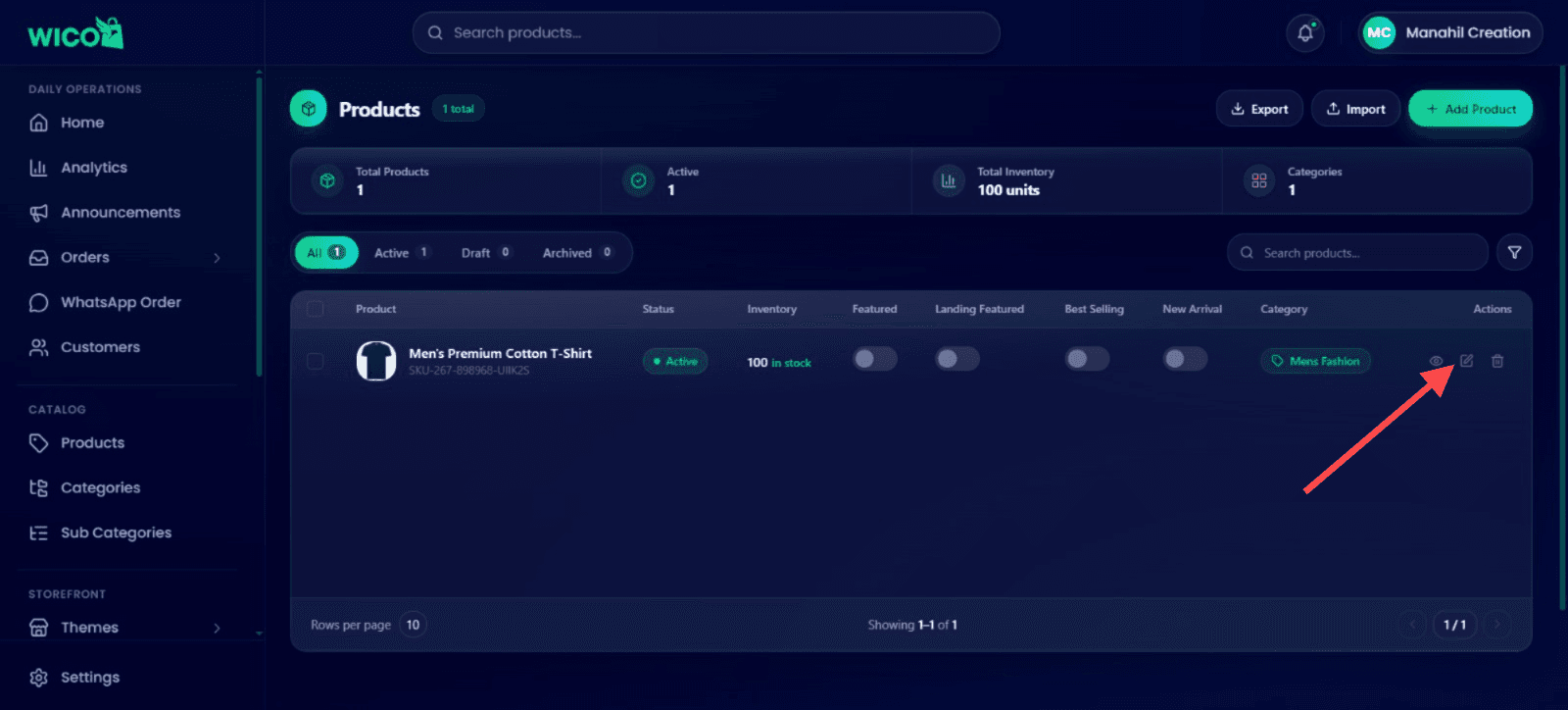
Click product name or Edit
3
Step 3Edit Product Form
Make your desired changes to the price, inventory, or description.
All fields are editable at any time.
accounts.wicofly.com/dashboard
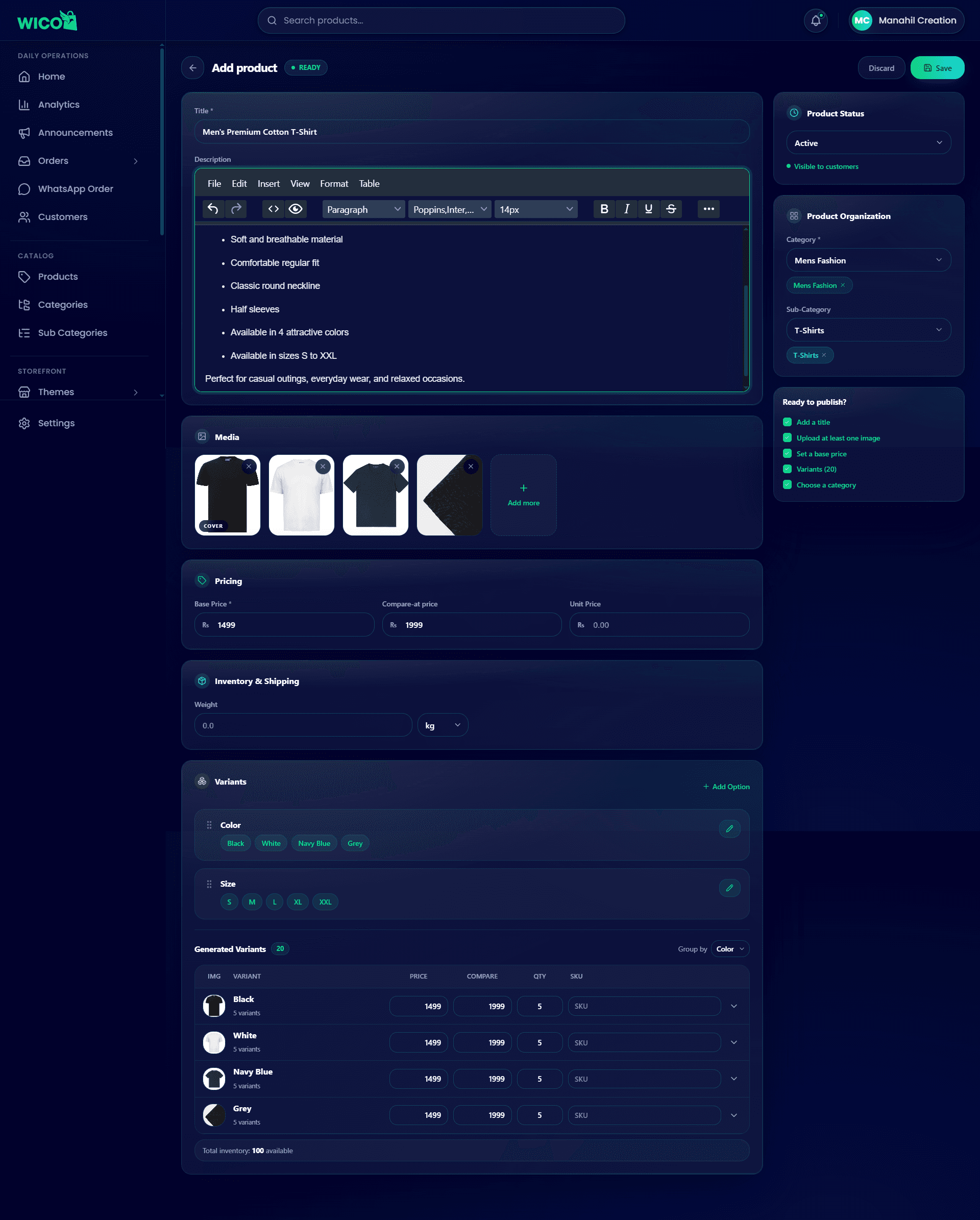
Update required fields
4
Step 4Action Button > Save
Click "Save Changes" at the bottom.
Updates sync immediately to your storefront without any downtime.
accounts.wicofly.com/dashboard
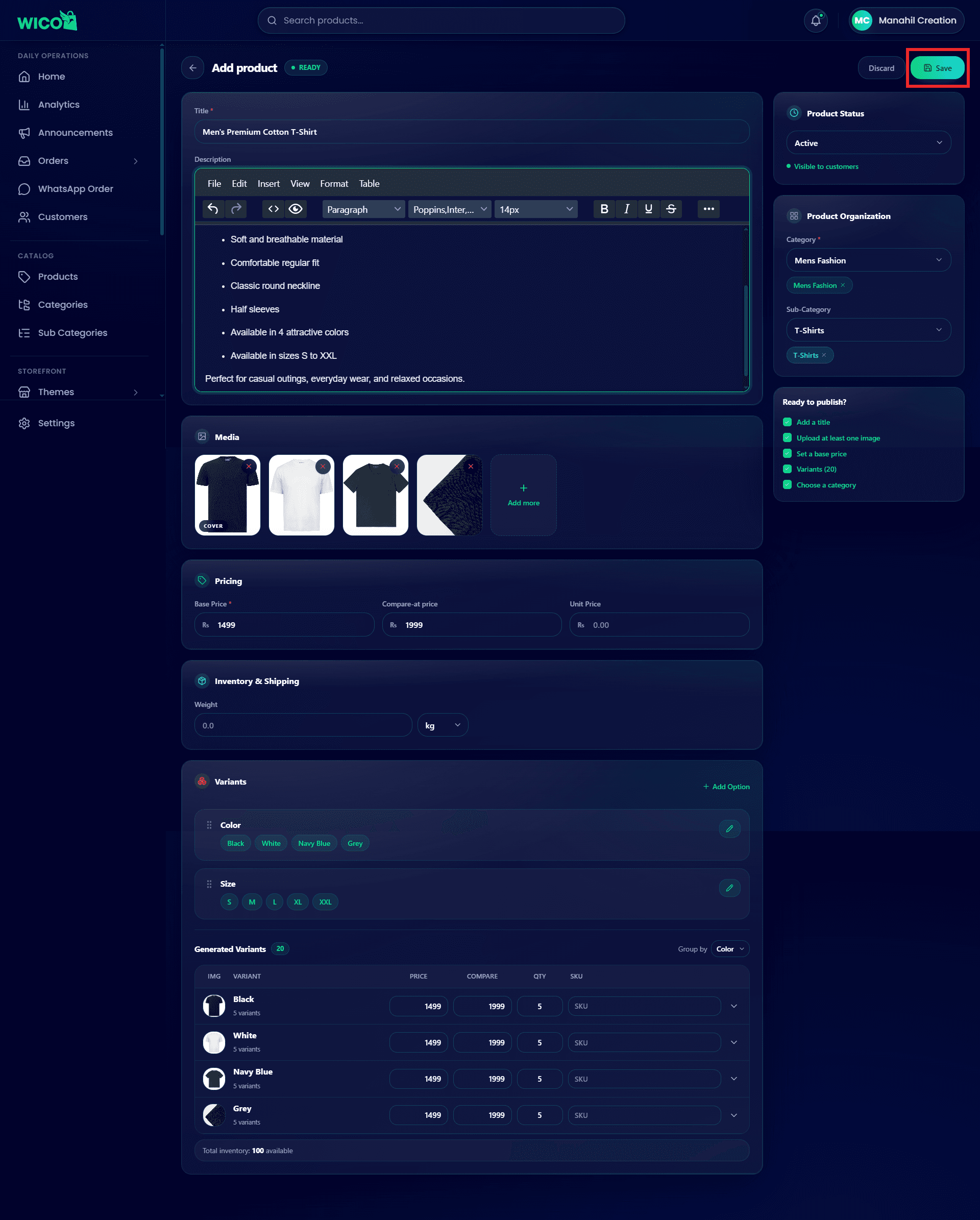
Click "Save Changes"
That's it!
Your edit a product task has been configured successfully. Your Wicofly store is updated.